• ⚠️ Possible issue on January 1
    The current SSL certificate expires on January 1, 2026. It should auto-renew automatically.
    If the site shows as “Not Secure” after that day, you can temporarily bypass the warning by searching Google for:
    “how to ignore expired certificate Safari or your browser.”

    For more information and detailed browser-specific workarounds, click here . This thread will be kept updated.

TV/DVD The New(er 2012) Flat Panel TV

Les Izmore

Junior Ranger
The new optional Supersonic flat panel TV comes with a USB port. When on shore power and with the power supply to the TV turned on, it should be able to be used to recharge USB devices. I suspect there is not enough amperage for charging some of the new, more power-hungry devices out there, but it's possible to run a USB extension out from below the hinged panel that the TV is mounted to, so that you can charge your less ravenous devices. We plug a thumb drive into it that contains thousands of our favorites songs and use the TV to listen to music when we are in the cabin. I got some self-adhesive cable routing do-hickeys to keep the extension cable from being a nuisance when opening and closing the TV door.
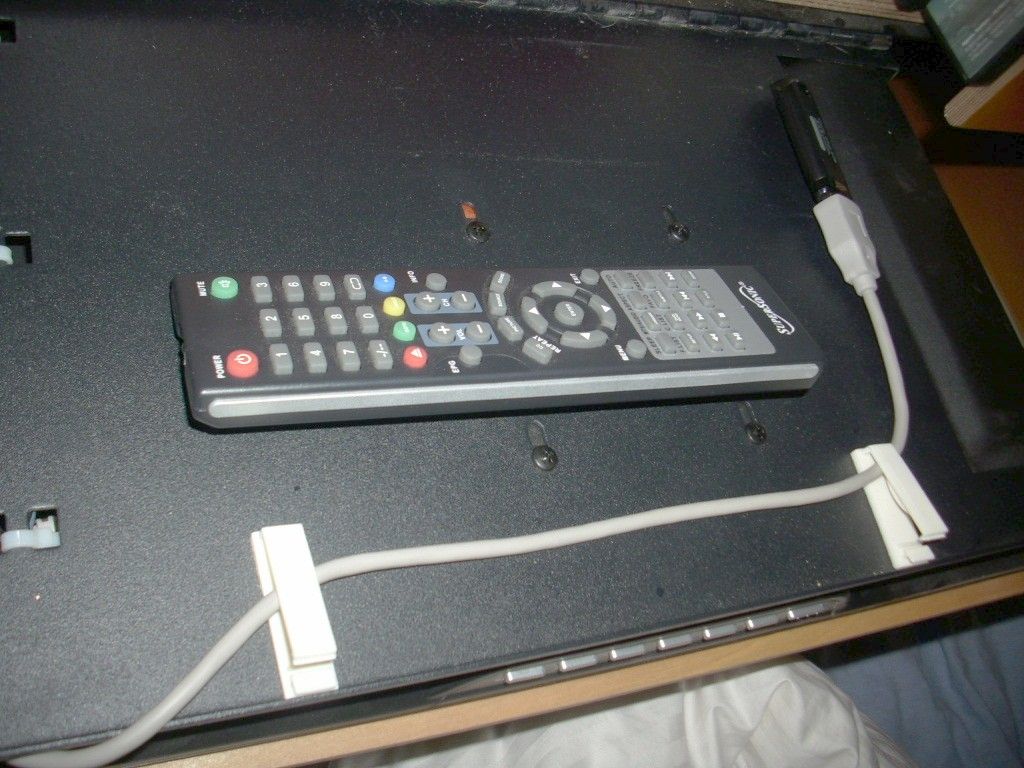
3227.jpg

Keep the remote in reach by using velcro to attach it to the back of the TV when not in use.
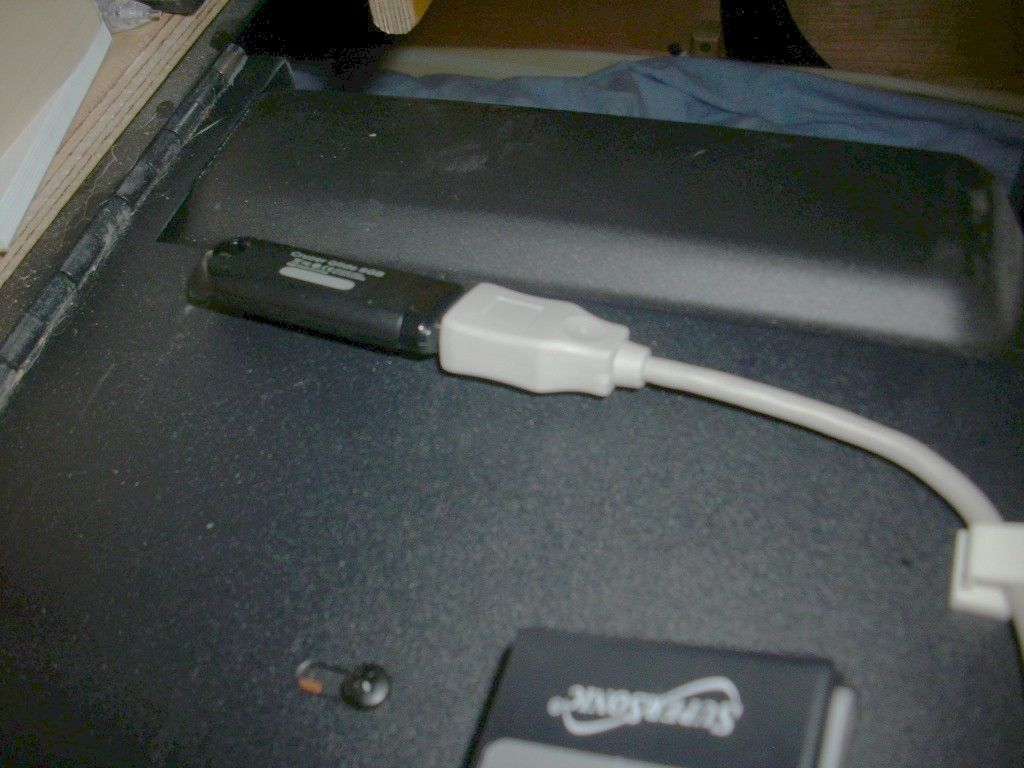
3228.jpg


3242.jpg

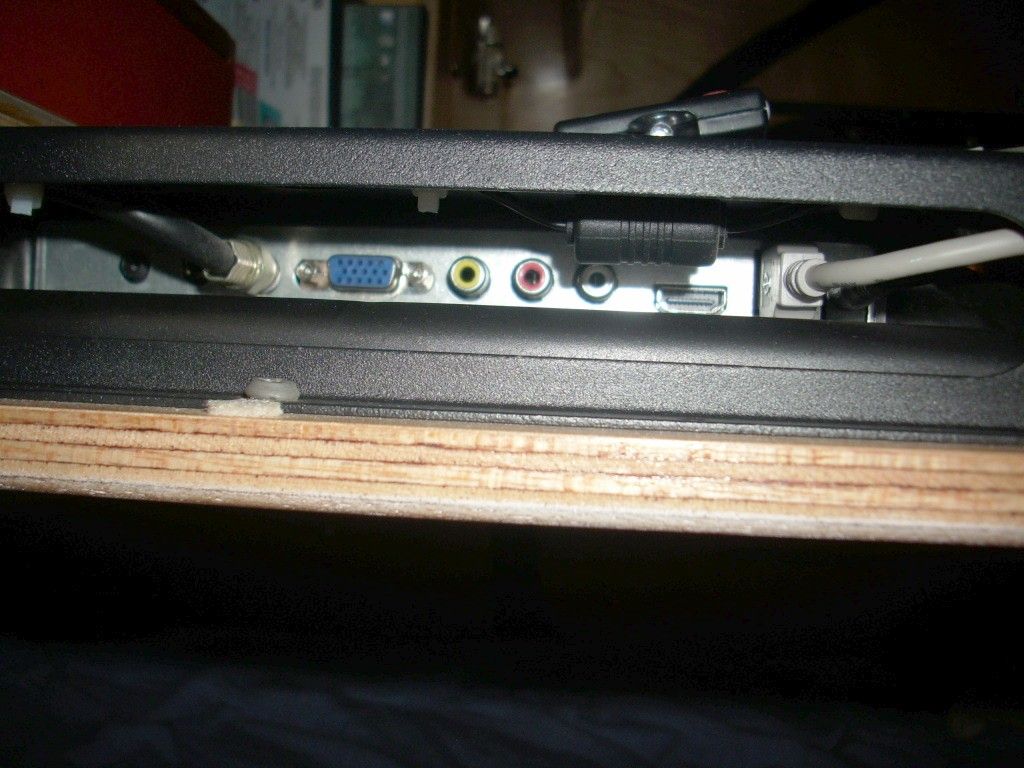
A shot of the left side of the TV, where all the cable connections are located.
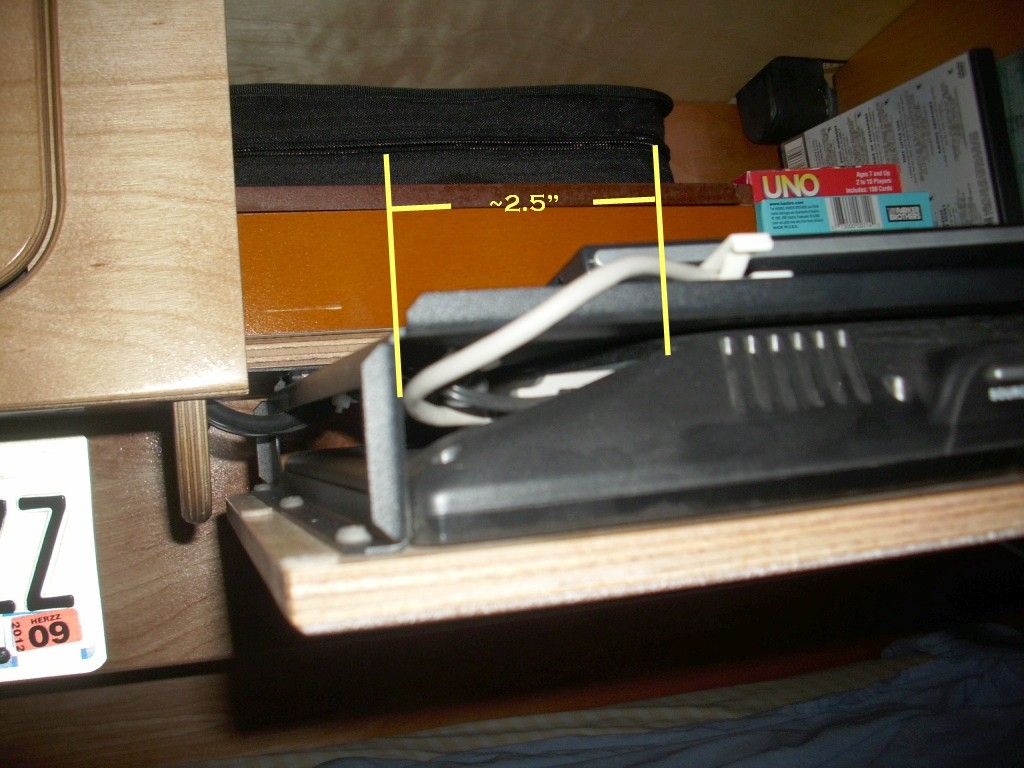
3243.jpg

This is a bit out of focus, but I was trying to show how deeply set back the connectors are - about 2 1/2". It can be challenge to get something plugged in, so it's not something you'd want to do repeatedly.
 
Re: The New Flat Panel TV

Yah, ditto, pic of the front screen...
Do I need to upgrade???

thanks..
 
Re: The New Flat Panel TV

It's not really a new TV option. It just now comes with a USB port built in. The front view is the same one that is on the Camp-Inn website. The only change is the speaker grille design is slightly different.


:cool:
 
Re: The New Flat Panel TV

Right. I should have said newer (we have a 2012). Too often I assume that everyone has the same trailer that we do...
 
Re: The New Flat Panel TV

Can anyone tell if the Newer TV has DUAL ANTENNA Inputs? Perhaps marked Ant.A / Ant.B button on remote? My goal is to have a dual set-up: one for RV Park Cable, and the second for our Dish Tailgatter Receiver. Thought it would be nice when setting up Camp to simply select Antenna choice whether it's cable or satellite.
 
Re: The New Flat Panel TV

No. There is only a single RF In Jack for the antenna. The TV is the Supersonic SC-1512. You might be able to find a user manual online.
 
Re: The New Flat Panel TV

Inn42 said:
No. There is only a single RF In Jack for the antenna. The TV is the Supersonic SC-1512. You might be able to find a user manual online.

Looking up the SC-1512 there is a lot of "mumbo-jumbo" about the DVD player on this unit. It doesn't specifically say Blue Ray, but can it play Blue Ray DVD's? I'm hoping it does, since the TV is HD.
 
Re: The New Flat Panel TV

There is definately a usb and HDMI port on the left side of the TV.

You could connect your sat TV, TIVO, or other devises by this means.

Blue ray DVD's do not work.
 
Re: The New Flat Panel TV

I don't see anything in the manual that mentions blu-ray, do I'd guess not. Our home DVD is pre-blu-ray, so can't say that I've tried it to know for sure. If not, then the other option would be to connect an external blu-ray player.
 
Re: The New Flat Panel TV

Joci and Jim recently posted in the Shout Box about what format of video can be played via the USB port. The answer appears to be none, but I don't profess an abundance of knowledge on this topic. I put a small MPEG-4 video, a WMV video and a standard DVD video on a usb drive and plugged it into the Supersonic. No go. It will play music and display JPEGs, but that seems to be it.
 
Re: The New Flat Panel TV

Thanks Steve and Alea - that is what my son says - so it must be that you have to have a dvd to play movies if wifi isn't available. Unless you do something with cable or satellite.

Thanks for checking this out.
 
Re: The New Flat Panel TV

Certainly you could go from a laptop via the HDMI input....I'm assuming....haven't tried it yet.
 
Re: The New Flat Panel TV

Any device that can play video that could connect via the HDMI port should display on the TV screen: at that point it is just being a dumb monitor. The problem would be how the HDMI cable gets routed from behind the TV (it is likely to poke out the left side and keep the TV door from completely closing, making the TV screen angle downward), and you also have to have a place for your laptop to sit. It sounds suspiciously like it would be a whole lot easier to simply view the videos on your laptop.

Most of the ports on the left side of the TV are made somewhat inaccessible by the bracket that holds the TV in place. That's why we ran an extension cable from the USB port, which we hold in place on the back of the bracket with some cable supports. It would be a major endeavor to try to plug a thumb drive directly into the port - it's doable, but too much effort to want to go through the drill repeatedly.

Joci and Jim would be better off having their kids burn the videos to a DVD and let the DVD player do its magic.
 
I got an ActionTec ScreenBeam mini2 HDMI dongle and it works fine. To install it, I got a short HDMI extension cable and routed it into the left storage cupboard just like the other wires, and the dongle and power supply are in the cupboard.

The ScreenBeam allows a direct connection to my phone for streaming videos, looking at picture, playing games, whatever is on the phone, no network needed. Most laptops will work too. If you have a wifi connection, it can connect directly to Amazon, Netflix, youTube, or Hulu. I got it from Amazon .
 
It does come with an HDMI extension cable, but I don't remember if I used that one or another I had laying around. You will also need a USB 12V adapter; be sure to get one with at least 2 amps capacity.
 
Re: The New Flat Panel TV

Inn42 said:
Joci and Jim recently posted in the Shout Box about what format of video can be played via the USB port. The answer appears to be none, but I don't profess an abundance of knowledge on this topic. I put a small MPEG-4 video, a WMV video and a standard DVD video on a usb drive and plugged it into the Supersonic. No go. It will play music and display JPEGs, but that seems to be it.

Correct. To play various video formats, the TV would have to have different codecs (code/decode) installed. Each codec typically has a license fee associated with it that Supersonic would have to pay in order to have those codecs on their TV. Therefore, unless there is a codec, the TV would not be able to play those video files. Given the cost, I doubt they would include them since the audience that would want/need to do this is limited.

As for charging devices, it is probably a USB 2 port and the specs for USB 2 are 500mA (1/2 amp) for powering or charging devices. Therefore if you have a typical USB 2 device, it should charge just fine.
 
Back
Top